

How to Rank #1 On YouTube & Google
If you’ve ever published a video you were proud of and watched it sink without a trace, you already know: great content isn’t enough. YouTube is the second-largest search engine in the world, and it works a lot like Google — except it’s also judging you on watch time, clicks, and how long people stick around after they land on your video. https://pixicondigital.com/youtube-seo/
This guide breaks down a repeatable YouTube SEO workflow you can use on every upload, from keyword research to publishing cadence, so your videos have a real shot at ranking #1 on YouTube & showing up in Google search results.
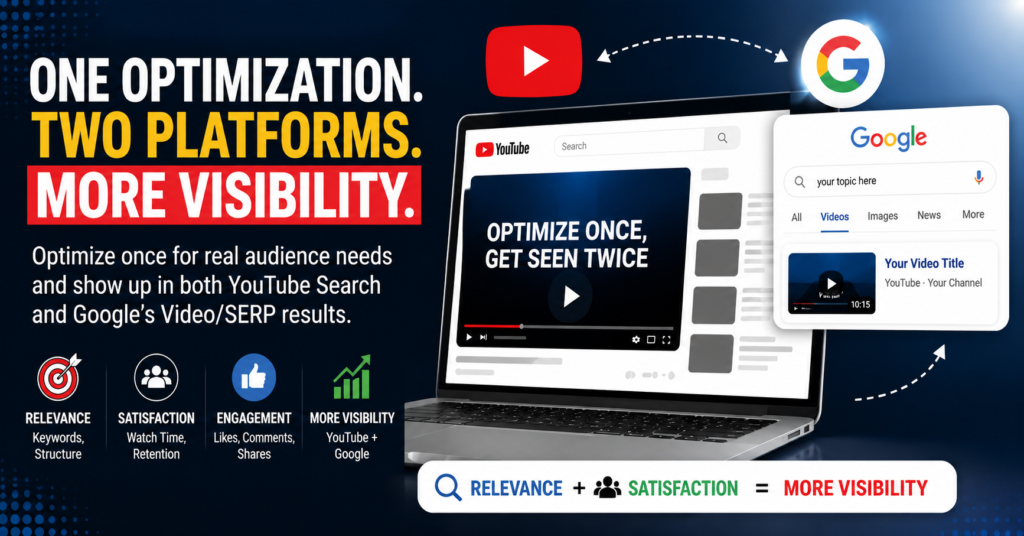
How to Rank #1 on YouTube & Google Faster
Forget the myth that tags and keyword-stuffed descriptions alone will get you ranked. YouTube’s algorithm weighs a mix of signals, and the most important ones are:
- Click-through rate (CTR) — how many people click your video when they see the thumbnail and title
- Session time — whether your video keeps people on YouTube afterward
- Relevance signals — title, description, tags, and captions matching what people search for
- Engagement — comments, likes, shares, and subscribes driven by the video
Metadata gets you discovered. Retention and CTR are what convince the algorithm to keep showing you to more people. Optimization has to address both.
Step 1: Do Keyword Research Before You Even Film
Keyword research isn’t optional — it’s the foundation. Before scripting anything, figure out what your audience is actually typing into the search bar.
Practical ways to do this:
Type your topic into YouTube search & note the autocomplete suggestions — these are real queries people use.
Check the “related searches” at the bottom of YouTube & Google results pages.
Look at competing videos ranking on page one: what keywords appear in their titles and descriptions?
Use tools like Google Trends, TubeBuddy, or VidIQ to compare search volume & competition.
How to Rank #1 on YouTube & Google with Keyword Research
Build a simple keyword map: one primary keyword (what the video is fundamentally about), 3–5 secondary keywords (related search terms), and a few long-tail phrases (specific, lower-competition queries). This map should guide your title, description, tags, and even your script.
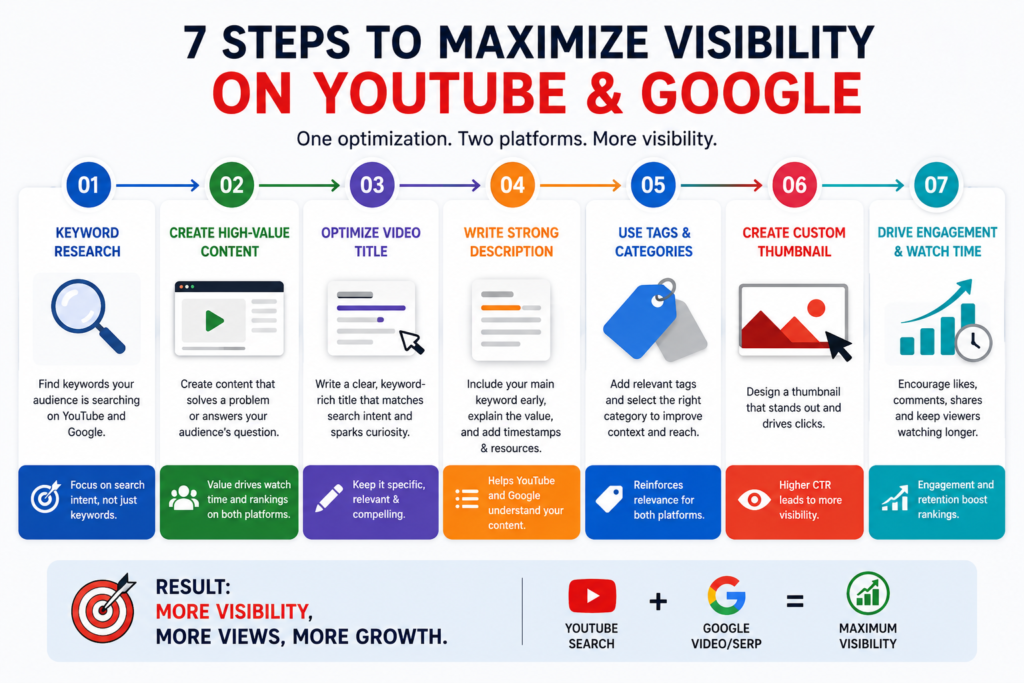
Step 2: Craft Titles and Thumbnails That Earn Clicks (Without Clickbait)
Your title and thumbnail are doing the heavy lifting for CTR, and CTR is one of the strongest ranking levers you have.
Title best practices:
- Lead with the primary keyword, ideally in the first 60 characters
- Promise a clear, specific outcome (“Rank #1 on YouTube” beats “YouTube Tips”)
- Keep it honest — a title that overpromises tanks retention, which hurts you later
Thumbnail best practices:
- Use high-contrast colors and a clear focal point (a face, an object, or bold text)
- Limit text to 3–5 words — thumbnails are viewed at small sizes
- Make it visually distinct from your last few uploads so returning viewers notice something new
- Test two versions if your platform supports A/B thumbnail testing
A quick before/after mental model: “My SEO Tips” with a plain screenshot vs. “Rank #1 on YouTube: The Exact Steps” with a bold, high-contrast graphic. The second wins CTR almost every time — same content, better packaging.
Step 3: Optimize Your Description for Both YouTube and Google
Your description does double duty: it helps YouTube’s algorithm understand context, and it can get indexed directly in Google search results.
A strong description structure:
- First 2–3 sentences: Include your primary keyword naturally and summarize the value of the video — this is what shows in search snippets.
- Body: Expand with secondary keywords, a short breakdown of what’s covered, and links to related videos or resources.
- Timestamps/chapters: List them here so they’re clickable and indexed.
- Calls to action: Subscribe prompt, links to your worksheet or website, and relevant hashtags.
Aim for genuinely useful detail, not keyword stuffing — a description that reads well to a human but happens to include your keyword map will outperform a robotic one.
Step 4: Use Tags, Chapters, and Captions Strategically
- Tags: Still useful for misspellings and close variants of your primary keyword, but they’re a minor signal now — don’t over-invest here.
- Chapters/timestamps: Break your video into logical sections (e.g., “Keyword Research,” “Titles & Thumbnails,” “Description Optimization”). This improves navigation, boosts retention by letting viewers jump to what they need, and gives YouTube more structured context about your content.
- Closed captions: Upload accurate captions or a transcript file rather than relying solely on auto-captions. This improves accessibility and gives the algorithm clean, keyword-rich text to index.
- End screens and cards: Point viewers to your next best video to lift session time — a strong secondary ranking signal.
Step 5: Structure the Video Itself for Retention
Ranking factors don’t stop at metadata. How the video is built matters just as much:
- Hook viewers in the first 15 seconds by stating exactly what they’ll get and why it matters.
- Deliver value early and often — don’t save the good stuff for the end.
- Match video length to the topic’s depth. There’s no universal “best length” — a quick tutorial might peak at 6 minutes, while a masterclass can hold attention for 15+ if the pacing earns it. Prioritize retention percentage over runtime.
- Use pattern interrupts (b-roll, on-screen text, zooms) every 30–60 seconds to prevent drop-off.
Step 6: Publish Consistently and Track What Works
Consistency signals reliability to both your audience and the algorithm. Videos that build sustained watch time and engagement over their first 48–72 hours tend to get pushed further by recommendations.
After publishing:
- Check YouTube Analytics for CTR, average view duration, and audience retention graphs — retention drop-off points show you exactly where to fix future scripts.
- Compare performance against your keyword map: did the video rank for the terms you targeted?
- Iterate: update titles/thumbnails on underperforming videos, and feed retention insights into your next script.
Your Reusable YouTube SEO Checklist
Before you hit publish, run through this:
- Primary keyword identified through real search research
- Title includes primary keyword and a clear value promise
- Thumbnail is high-contrast, minimal text, visually distinct
- Description opens with keyword-rich summary (first 2–3 sentences)
- Timestamps/chapters added and listed in the description
- Tags include primary + close variant keywords
- Accurate captions or transcript uploaded
- End screens and cards point to relevant next videos
- Video hooks viewers in the first 15 seconds
- Analytics reviewed after 48–72 hours and insights logged
Why This Works Across Both YouTube and Google
SEO for YouTube isn’t a one-time trick — it’s a loop: research, optimize, publish, measure, refine. Run this workflow on every video, and ranking #1 stops being a fluke and starts being a repeatable outcome.
Improves visibility in YouTube search results https://creatoracademy.youtube.com/
Increases the chances of appearing on Google