

I have been to marketing and analytics team meetings this year. In these meetings people often argue about which tool to use. Some people say “We should just use Google Analytics 4 it is free.” Others say “Free is not free if nobody can actually use it.”
Both statements are true. This is why many teams have a time making a decision. Google Analytics and Adobe Analytics are not really competing for the job. One is made to get anyone up and running with good reporting in a few weeks. The other is made for organizations that need to look at data in different ways.
This guide will walk you through how the two platformsre different. It will also help you decide which one is best for your team.
H1: The Short Version
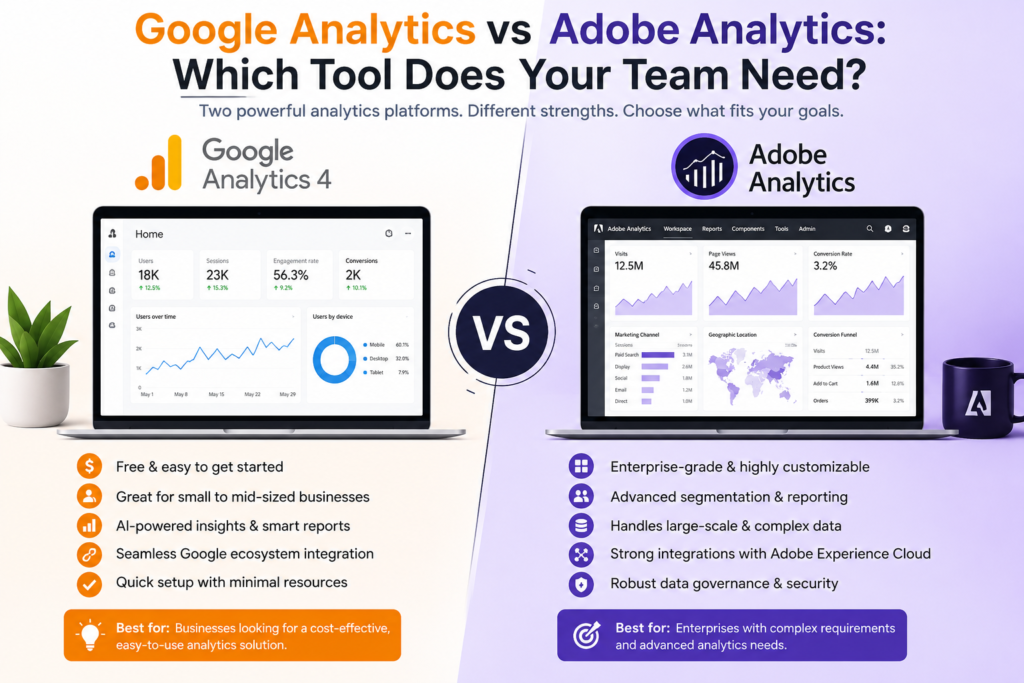
Google Analytics 4 is free. Therefore Works well with Google Ads and Search. It can do standard marketing measurements, like where traffic comes from and how campaigns perform. Adobe Analytics is for companies and costs a lot of money. It is First part of Adobe Experience Cloud. Is made for organizations that need to look at data in many different ways.
Neither platform is always the choice. Finally The Similarly right one depends on how complicated your data’s how good your team is with technology and how much money you are willing to spend on analytics.
H2: Core Strengths, Side by Side
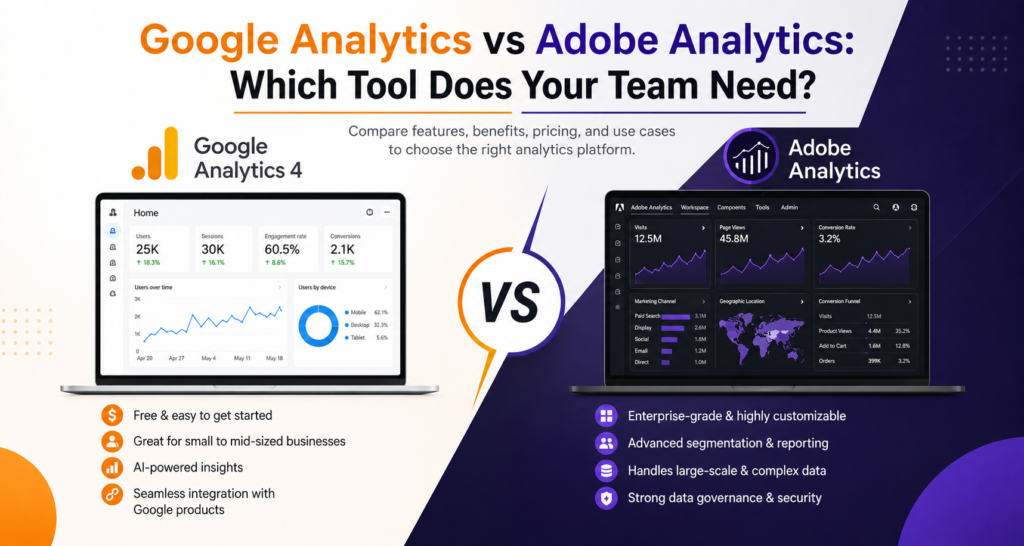
Google Analytics is good because it is easy to use. You can have tracking set up in a few days and the interface is made for people who are not full-time analysts. The price is also zero for businesses. If your teams questions are mostly “where is our traffic coming from” and “which campaigns are converting ” Google Analytics 4 answers those well.
Adobe Analytics is good because it gives you a lot of control over your data. Its Analysis Workspace is like a canvas that lets a skilled analyst answer almost any business question. Data is not. Segments can be built and rebuilt on the fly.
The tradeoff is that Adobe Analytics takes longer to set up. Google Analytics 4 can be live in a weeks while Adobe Analytics often takes several months to set up.
H3: Pricing and What It Actually Means for ROI
This is the part that often ends the conversation for teams. Google Analytics 4 is free while Adobe Analytics costs over $100,000 a year. It is worth thinking about what you get for your money. If you are making decisions based on data and inaccurate data would cost you a lot of money then Adobe Analytics might be worth the cost.
A good way to think about it is to ask yourself if your teams questions could be answered by Google Analytics 4. If they can then you probably do not need Adobe Analytics.. If your questions are more complicated like “how do behaviors predict lifetime value ” then Adobe Analytics might be the better choice.
H4: Attribution and Journey Analysis
This is one of the technical differences between the two platforms. Google Analytics 4 has data-driven attribution but Adobe Analytics goes further. It supports complicated attribution modeling and can handle sequential and cross-session behavior.
H5: Data Privacy and Governance
Both platforms have privacy controls but Adobe Analytics is better for big regulated organizations. It has control over how data is captured, retained and restricted.
H6: Reporting, Customization and the Learning Curve
Google Analytics gives you the reports you probably need. Adobe Analytics gives you the tools to build any report you can imagine.. Adobe Analytics is also harder to use, especially for people who are not trained analysts.
H7: A Quick-Use Decision Matrix
| Factor Lean Google Analytics | Lean Adobe Analytics |
|—|—|—|
| Team size / analytics maturity | Under 5 people touching analytics | Dedicated analytics team, 10+ stakeholders |
| Budget | Limited or marketing-owned budget | Six-figure annual commitment |
| Data complexity | Standard web/app tracking | Multiple brands, properties or offline-to-online journeys |
| Attribution needs | Standard multi-touch attribution | Need algorithmic attribution and complex path analysis |
| Implementation timeline | Need tracking live in weeks | Can commit to a multi-month rollout |
| Ecosystem | Heavy Google Ads / Search spend | Already invested in Adobe Experience Cloud |
Governance requirements | Standard compliance needs | Strict data residency or multi-region governance |
H8: Practical Use Cases
A small brand with a lean marketing team is probably better off with Google Analytics 4. A big retailer with brands and a dedicated analytics department is probably better off with Adobe Analytics.
A mid-market company is the hardest to decide for. The best thing to do is to try to use Google Analytics 4 much as possible and then see if you need Adobe Analytics.
H9: The Bottom Line
Do not ask which platform is more powerful. Adobe Analytics is more powerful. That does not mean it is the best choice for your team. Ask instead if your team has the data complexity, budget and analytical talent to use Adobe Analytics.
If the answer is no Google Analytics 4 is probably the choice. If the answer is yes Adobe Analytics is probably the choice.
When in doubt the safest thing to do is to use both platforms for a few months and see which one your team actually uses. That will give you a honest answer, than any feature comparison.